

Top 5 Ultrawide Monitors for Office Use in the United States, 2025
Published on Wednesday, April 2, 2025
Ultrawide monitors have revolutionized the workspace by providing expansive screen real estate, tailor-made for enhancing productivity in office environments. These monitors are increasingly popular among professionals in the United States as they facilitate multitasking like never before. With a wider aspect ratio, users can have multiple windows open simultaneously, significantly improving workflow and efficiency. American consumers appreciate the immersive experience and the ability to work on complex projects without the clutter of multiple displays. The trend towards ultrawide monitors is a response to the growing demand for better workspace ergonomics and efficiency.
Top Picks Summary
Dell UltraSharp U4021QW
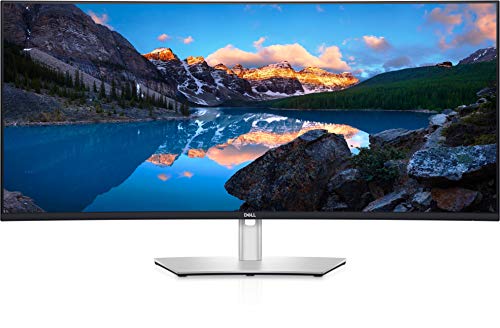
The Dell UltraSharp U4021QW is a standout ultrawide monitor that offers an expansive 40-inch view with unparalleled color accuracy and resolution. With a stunning 5120x2160 resolution and IPS technology, it delivers vibrant visuals and consistent colors from every angle. This monitor is designed for multitasking, featuring an array of connectivity options including USB-C, allowing users to easily connect multiple devices. The sleek and stylish design makes it a perfect fit for any workspace, enhancing both productivity and aesthetics.
LG 38WN95C-W Ultrawide Monitor
The LG 38WN95C-W sets a new standard for ultrawide monitors with its 38-inch curved display that supports a breathtaking 3840x1600 resolution. This monitor harnesses Nano IPS technology for true-to-life color reproduction and covers a wide color gamut, making it an excellent choice for creative professionals and gamers alike. The Thunderbolt 3 connectivity enables high-speed data transfer and power delivery, streamlining work processes. With features like HDR10 support and an adjustable stand, this monitor stands out in both performance and ergonomics.

LG 49WL95C-W
The LG 49WL95C-W boasts an impressive 49-inch dual QHD display, providing expansive real estate for productivity and multitasking. This monitor's ultra-wide 32:9 ratio effectively replaces a dual-monitor setup while delivering stunning clarity and vivid colors through IPS technology. Designed with a range of connectivity options including USB-C, it enhances workflow efficiency and user convenience. Gamers and professionals alike will appreciate the immersive viewing experience and the monitor's sleek, modern design.

ASUS ProArt PA34VC
The ASUS ProArt PA34VC is specifically engineered for creatives who demand precision and performance from their portfolio. This 34-inch curved monitor offers a 3440x1440 resolution and covers 100% of the sRGB color space, ensuring accurate color reproduction for photo and video editing. Featuring HDR technology and extensive connectivity options, including USB-C, it provides both versatility and high-quality visuals. The ergonomic design, with customizable adjustments, further enhances the user experience, making it a top choice for professionals.

Samsung CJ791
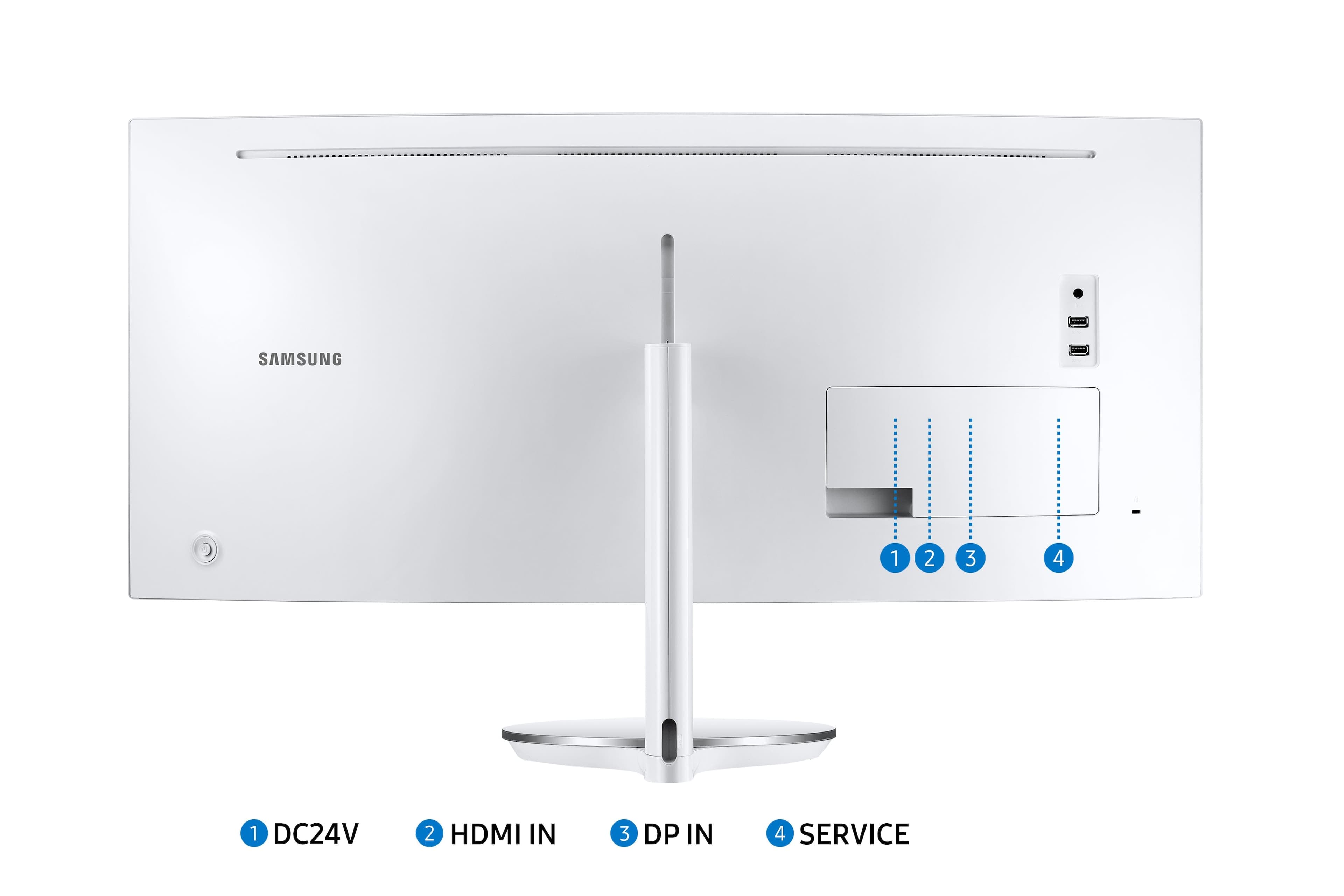
The Samsung CJ791 is a 34-inch ultrawide monitor that combines striking Quantum Dot technology with the immersive experience of a 21:9 aspect ratio. With a QHD resolution and HDR support, it delivers exceptional color accuracy and clarity for work or entertainment. The monitor features Thunderbolt 3 connectivity, making it an ideal choice for users looking for high-speed data transfer and versatile connectivity. With its sleek design and powerful performance, the CJ791 stands out as a strong contender in the ultrawide monitor market.
Where to buy Samsung CJ791 in USA: the trusted retailers we track in this market, with the best price we have observed at each. Prices are checked regularly and can change, and the retailer confirms the final price at checkout.
We may earn a commission on purchases. It never affects our rankings.
$1,200 – $1,600
Ultrawide monitors for office use feature excellent color accuracy, ergonomic designs, and ample screen space, all crucial for improving workflow and reducing eye strain.
Benefits of Ultrawide Monitors
Ultrawide monitors boost productivity, induce a better work-life balance, and promote efficient multitasking. Here's how they can enhance your office experience:
Research indicates that ultrawide monitors can reduce the need for multiple displays, streamlining office setups and saving desk space.
A 2022 study found that users are 33% more productive when working on ultrawide monitors compared to traditional dual monitors.
Enhanced screen real estate allows for better organization of tasks, reducing cognitive load and helping users focus on single projects.
Ultrawide monitors often come with features like Picture-by-Picture, enabling seamless use of dual inputs without needing extra cables.
Studies show ultrawide monitors have a positive impact on eye comfort, reducing strain associated with narrower screens during prolonged work hours.
An extensive 2021 survey noted that employees using ultrawide monitors reported a 50% increase in job satisfaction due to better ergonomics and workspace organization.
Frequently Asked Questions
Which ultrawide monitor should I buy for office work?
The Dell UltraSharp U4021QW is a strong office pick because it has 5120 x 2160 resolution on a 34-inch IPS panel and includes a built-in KVM switch to manage multiple devices; it’s rated 4.7.
What resolution and connectivity does the Dell UltraSharp U4021QW offer?
Dell UltraSharp U4021QW delivers 5120 x 2160 resolution on a 34-inch screen, with USB-C connectivity and 90W power delivery; it also features a built-in KVM switch. Rating is 4.7.
How does the LG 38WN95C-W price compare to the Dell?
LG 38WN95C-W lists at $1,849.00 USDwhile Dell UltraSharp U4021QW lists at $1,849.00 USD; the LG model is a 38-inch curved 3840 x 1600 Nano IPS display with Thunderbolt 3 support and HDR10, rated 4.7.
Does the LG 49WL95C-W replace a dual-monitor setup?
Yes—LG 49WL95C-W uses a 49-inch ultra-wide 32:9 dual QHD layout that replaces a dual-monitor setup, and it includes a Picture-by-Picture function. Its average rating is 4.5.
Conclusion
In conclusion, ultrawide monitors are the optimal choice for American professionals seeking to enhance productivity and workspace efficiency in 2025. We hope you found this guide helpful in your search for the perfect ultrawide monitor. For more specific inquiries, feel free to use the search bar to explore additional information and products.